Merge, compress, split, edit, sign, and protect PDFs — all free, all in your browser.
Our PDF tools run entirely inside your browser — your documents never get uploaded to any server. Merge multiple PDFs into one, compress large PDF files for government portals, add page numbers, rearrange pages, remove unwanted pages, add watermarks, lock or unlock PDF passwords, and convert PDFs to images — all without installing any software.
These tools are designed for CSC operators, VLE centre workers, lawyers, students, and anyone in India who regularly works with government documents, certificates, affidavits, and official applications.
PDF Compress — Reduce PDF file size significantly while maintaining readability. Most government portals in India have file size limits between 500KB and 2MB — use this tool to compress large scanned PDFs before uploading.
PDF Merge — Combine multiple PDF files into a single document. Useful for combining certificates, ID copies, affidavits, and supporting documents into one submission file.
PDF Lock / Unlock — Add password protection to sensitive PDF documents, or remove passwords from PDFs you already own the rights to. Useful for protecting personal documents before sharing.
PDF Numbering — Add automatic page numbers to any PDF document. Essential for legal documents, affidavits, and multi-page submissions that require numbered pages.
PDF Rearrange — Drag and drop PDF pages to reorder them. Useful when scanned pages come out in the wrong order.
PDF Remove Pages — Delete specific pages from a PDF without affecting the rest of the document.
PDF Watermark — Add text or image watermarks to PDF pages. Useful for marking documents as "Draft," "Confidential," or adding your organization's branding.
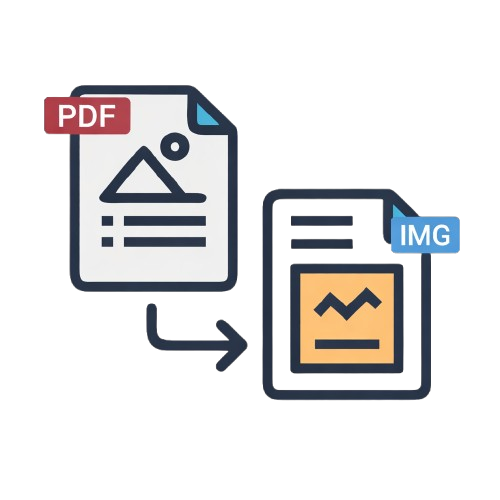
PDF to Image — Convert PDF pages to high-resolution JPG or PNG images. Useful when a portal only accepts image uploads instead of PDFs.
PDF OCR — Make scanned PDFs searchable by adding a text layer through optical character recognition. Supports Hindi, Marathi, and English text recognition.
PDF Signature Verify — Verify digital signatures on officially signed PDF documents. Supports DSC (Digital Signature Certificate) verification for government and legal documents.
PDF tools that upload your files to a server create serious privacy risks when you are working with sensitive documents like Aadhaar cards, income certificates, caste certificates, affidavits, and legal papers. Our tools process everything locally inside your browser — your documents are never transmitted to or stored on any server.
For CSC operators and VLE centres handling citizen documents every day, this privacy-first approach ensures that sensitive personal information stays on the user's device at all times.
Are these PDF tools free to use?
Yes, most PDF tools on this page are completely free. Some advanced tools require a free account and coins for extended use.
Do my PDF files get uploaded to your server?
No. All PDF processing runs inside your browser. Your files never leave your device.
What is the maximum PDF size these tools can handle?
Most tools work well with PDFs up to 50MB. Very large files may be slower depending on your device's processing power.
Can I merge password-protected PDFs?
You need to unlock a password-protected PDF first using the PDF Unlock tool, then merge it with other files.
Do these tools work on mobile?
Yes, all PDF tools are fully mobile-compatible and work on Android and iOS browsers without any app installation required.