📌 What is Merge PDF Online Free - Combine Multiple PDF Files Into One?
Merging multiple PDF files into a single document is one of the most common requirements when submitting paperwork digitally. Government portals, college admissions, bank loan applications, and visa portals almost always require all supporting documents combined into one PDF — not multiple separate files. Instead of attaching ten different files, you upload a single merged PDF that contains everything in the correct order.
Real-world situations where merging PDFs is essential are countless. A student applying for college admission needs to combine 10th mark sheet, 12th mark sheet, transfer certificate, caste certificate, and income certificate into one PDF. A loan applicant needs to merge identity proof, address proof, salary slips, bank statements, and ITR documents into a single file. CSC operators preparing applications for villagers regularly combine Aadhaar copy, ration card, photo, and supporting documents into one organized PDF before uploading to government portals.
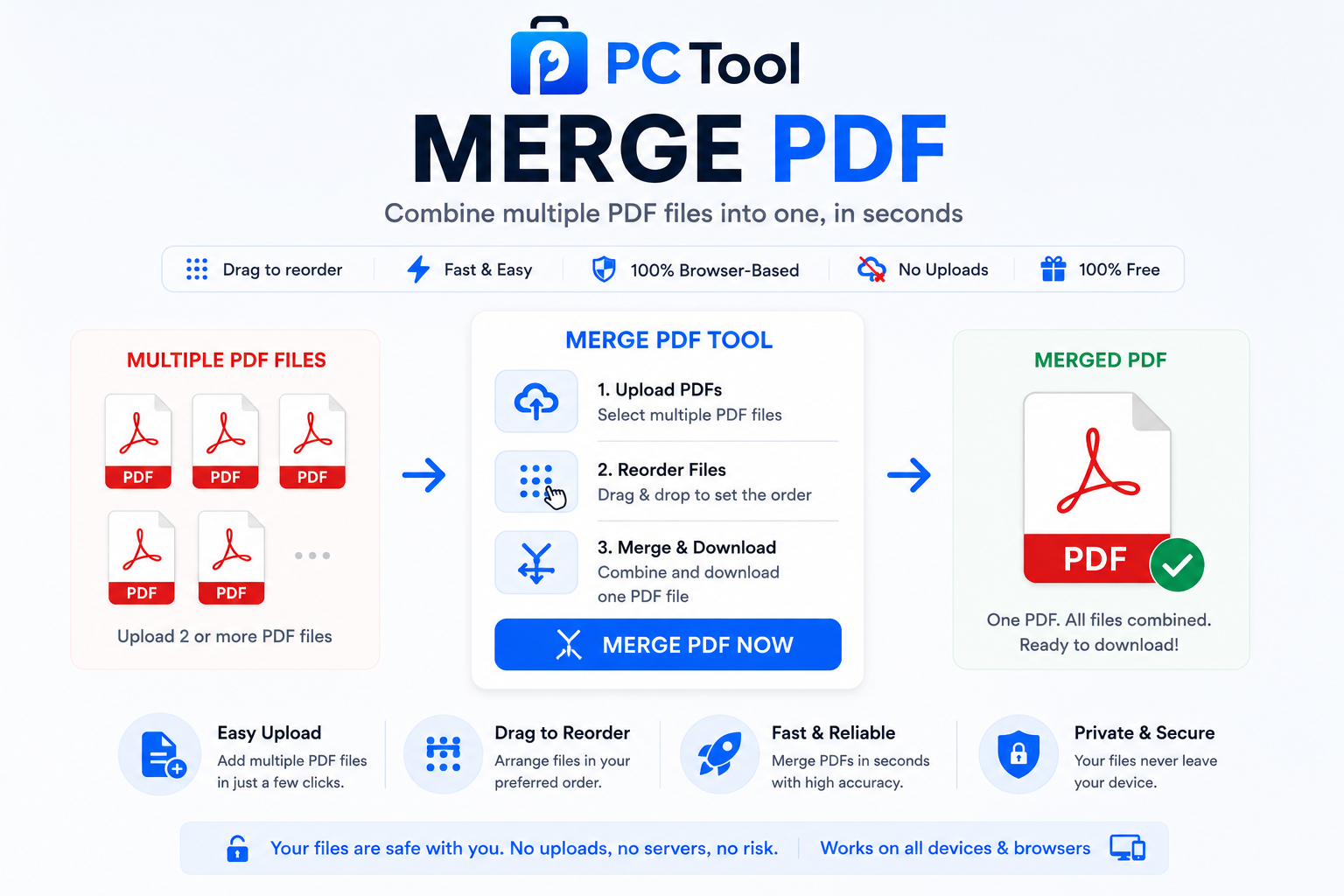
Our PDF Merge tool lets you upload up to 10 PDF files at once, drag the thumbnails to set the exact order you want, and combine them into a single PDF with one click. The order of files in the merged output exactly matches the order you arrange in the thumbnail list — so a multi-document submission can be assembled in seconds without any need for desktop software.
All processing happens entirely in your browser using the pdf-lib library. None of your PDF files are uploaded to any server, ensuring complete privacy for sensitive personal, financial, and legal documents.
❓ How to Use This Tool
Combining multiple PDFs into one takes less than a minute. Here is the complete process.
Step 1: Upload Your PDF Files
Click the upload zone or drag and drop multiple PDF files at once. You can select up to 10 PDFs in a single merge session. Each uploaded file appears in the file list with its name and size.
Step 2: Add More Files (Optional)
If you need to add more PDFs after the initial upload, click the Add More button. The new files are added to the existing list without removing any of the previously uploaded files.
Step 3: Drag to Reorder
This is the key step. The order of files in the merged PDF will be exactly the order shown in the file list. Drag any file up or down using the grip handle to set the correct sequence. For example, when combining application documents, you may want the application form first, then identity proof, then supporting documents — drag them into that exact order.
Step 4: Remove Unwanted Files
If you uploaded a file by mistake or want to exclude it from the merge, click the remove icon next to that file. The file is removed from the list without affecting the others.
Step 5: Click Merge PDFs
Once the order is set, click the Merge PDFs button. The tool combines all files into a single PDF in your browser. Larger files take a few seconds longer.
Step 6: Download the Merged PDF
The result panel shows the merged file with its total size. Optionally rename the file before downloading — for example, College_Admission_Documents.pdf — then click Download to save it to your device.
✓ Features & Benefits
- Combine up to 10 PDF files into a single merged PDF
- Drag-and-drop reordering to set the exact file sequence
- Add more files at any time before merging
- Remove individual files from the list with one click
- Optional rename of the final merged PDF before download
- Preserves original quality, formatting, fonts, and images
- 100% browser-based using pdf-lib — no files uploaded to any server
- Works on mobile, tablet, and desktop without any app install
- No registration or login required — completely free
- No watermark added to the merged output
💡 Tips for Best Results
When preparing documents for college admissions, government applications, or bank submissions, the order of pages often matters. Always arrange files so that the cover document (application form, declaration, or main letter) comes first, followed by supporting documents in the order requested by the portal.
For Indian government portal submissions like CSC services, PMAY applications, and scholarship forms, a standard order works well — application form, photo, Aadhaar, address proof, income certificate, and other supporting documents at the end. Many portals reject submissions with documents in the wrong order, so reorder carefully before merging.
If your final merged PDF exceeds the portal file size limit, use our PDF Compress tool after merging to reduce the size. Compressing each file individually before merging is less effective than compressing the merged output.
For double-sided document scans, scan all pages first, then merge in the correct sequence. Use the Add More button if you forget a page — there is no need to start over.
If any of your input PDFs are password protected, unlock them first using our PDF Lock Unlock tool before merging. Locked PDFs cannot be merged directly.
❔ Frequently Asked Questions
How do I merge multiple PDF files into one?
Upload two or more PDF files, drag the thumbnails to set the order you want, then click Merge PDFs. The combined PDF downloads automatically with all files joined in the order you arranged.
How many PDF files can I merge at once?
Up to 10 files per merge session. For larger batches, merge the first 10, then start a new session and merge that output with the next set of files.
Can I change the order of files before merging?
Yes. Drag any file up or down in the list using the grip handle. The merged PDF will follow the exact order shown in the list. This is essential for application documents where the sequence matters.
Will merging reduce the quality of my PDFs?
No. The tool combines pages directly without re-rendering or compressing them. The original quality, formatting, fonts, and images of each input PDF are preserved exactly in the merged output.
Is there a file size limit?
There is no hard per-file size limit since everything runs in your browser. Most modern devices comfortably handle 50 MB or more in total. Very large files may take longer to process on low-end mobile devices.
Are my PDF files uploaded to a server?
No. The entire merge process runs inside your browser using the pdf-lib library. Your files are never sent to any external server. This makes the tool completely safe for confidential documents like Aadhaar, bank statements, salary slips, and legal papers.
Can I merge password-protected PDFs?
No. Password-protected PDFs must be unlocked first. Use our PDF Lock Unlock tool to remove the password, then merge the unlocked files normally.
📌 PDF Merge ऑनलाइन - अनेक PDF फाइल्स एकत्र करा काय आहे?
अनेक PDF फाइल्स एकत्र करून एकाच PDF मध्ये रूपांतरित करणे हे डिजिटल कामकाजात सर्वात आवश्यक काम आहे. सरकारी पोर्टल्स, कॉलेज अॅडमिशन, बँक loan अर्ज, आणि व्हिसा पोर्टल्स बहुधा सर्व कागदपत्रे एकाच PDF मध्ये मागतात — दहा वेगवेगळ्या फाइल्स नव्हे, तर एकच merged PDF ज्यामध्ये सर्व कागदपत्रे योग्य क्रमाने असतात.
विद्यार्थ्यांना कॉलेज अॅडमिशनसाठी १० वी आणि १२ वी ची गुणपत्रिका, transfer certificate, जातीचा दाखला, आणि उत्पन्नाचा दाखला एकत्र करावे लागतात. Loan अर्जदारांना ओळखपत्र, पत्ता पुरावा, salary slip, बँक statement आणि ITR एकत्र करावे लागतात. CSC operators गावकऱ्यांचे आधार, रेशन कार्ड, फोटो, आणि इतर कागदपत्रे एकत्र करून सरकारी पोर्टलवर अपलोड करण्यासाठी हे टूल वापरतात.
आमचे PDF Merge टूल एकावेळी १० PDF अपलोड करण्याची सुविधा देते. Thumbnails ड्रॅग करून हवा तो क्रम ठरवा, आणि एका क्लिकमध्ये एकत्र करा. Output PDF मधील क्रम तुम्ही thumbnail list मध्ये जो लावला आहे तोच असतो — multi-document submission काही सेकंदात तयार.
सर्व प्रक्रिया pdf-lib library वापरून ब्राउझरमध्येच होते. कोणतीही PDF कोणत्याही सर्व्हरवर पाठवली जात नाही.
❓ हे साधन कसे वापरावे
पायरी १: PDF फाइल्स अपलोड करा
अपलोड झोनवर क्लिक करा किंवा अनेक PDF एकत्र ड्रॅग-ड्रॉप करा. एका session मध्ये जास्तीत जास्त १० PDF. प्रत्येक फाइल नाव आणि size सह list मध्ये दिसते.
पायरी २: अधिक फाइल्स घाला (ऐच्छिक)
सुरुवातीच्या अपलोडनंतर अधिक PDF हव्या असल्यास Add More बटण दाबा. आधीच्या फाइल्स तशाच राहतात आणि नवीन त्यात जोडल्या जातात.
पायरी ३: क्रम लावण्यासाठी ड्रॅग करा
ही महत्त्वाची पायरी आहे. Merged PDF मधील क्रम list मध्ये दिसणाऱ्या क्रमासारखाच असतो. Grip handle वापरून फाइल वर-खाली ड्रॅग करा. उदा. अर्ज प्रथम, मग ओळखपत्र, मग इतर कागदपत्रे — असा योग्य क्रम लावा.
पायरी ४: नको असलेल्या फाइल्स काढून टाका
चुकून अपलोड झालेली किंवा वगळायची फाइल असल्यास तिच्या शेजारील remove icon वर क्लिक करा. इतर फाइल्सवर परिणाम होत नाही.
पायरी ५: Merge PDFs दाबा
क्रम सेट झाल्यावर Merge PDFs बटण दाबा. ब्राउझरमध्येच सर्व फाइल्स एकत्र होतात. मोठ्या फाइल्सना थोडा जास्त वेळ लागतो.
पायरी ६: Merged PDF Download करा
Result panel मध्ये एकत्रित फाइल आणि तिचा एकूण size दिसतो. हवे तर नाव बदला — उदा. College_Admission_Documents.pdf — आणि Download दाबा.
✓ वैशिष्ट्ये आणि फायदे
- जास्तीत जास्त १० PDF एकाच merged PDF मध्ये
- Drag-and-drop reordering — योग्य क्रम लावण्यासाठी
- Merge करण्यापूर्वी कधीही अधिक फाइल्स जोडा
- एकाच क्लिकमध्ये कोणतीही फाइल काढून टाका
- Download करण्यापूर्वी merged PDF rename करण्याचा पर्याय
- मूळ quality, formatting, fonts आणि images तशीच राहतात
- १००% ब्राउझर-आधारित — फाइल्स सर्व्हरवर अपलोड होत नाहीत
- Mobile, tablet आणि desktop सर्वत्र चालते
- Registration किंवा login नाही — पूर्णपणे मोफत
- Merged output वर कोणताही watermark नाही
💡 सर्वोत्तम परिणामांसाठी टिपा
कॉलेज अॅडमिशन, सरकारी अर्ज किंवा बँक submission साठी कागदपत्रांचा क्रम महत्त्वाचा असतो. Cover document (अर्ज, declaration, मुख्य पत्र) प्रथम ठेवा, नंतर supporting documents पोर्टलने मागितलेल्या क्रमाने लावा.
CSC services, PMAY अर्ज, शिष्यवृत्ती forms यांसारख्या भारतीय सरकारी पोर्टल्ससाठी standard क्रम — अर्ज, फोटो, आधार, पत्ता पुरावा, उत्पन्नाचा दाखला, आणि शेवटी इतर supporting documents. चुकीच्या क्रमामुळे अनेक पोर्टल अर्ज नाकारतात.
Merged PDF पोर्टलच्या file size मर्यादेपेक्षा मोठी असल्यास merge केल्यानंतर PDF Compress टूल वापरून size कमी करा. प्रत्येक फाइल आधी compress करण्यापेक्षा merged output compress करणे जास्त परिणामकारक.
दोन्ही बाजूंनी scan केलेल्या documents साठी सर्व पाने आधी scan करा, मग योग्य क्रमाने merge करा. एखादे पान विसरल्यास पुन्हा सुरू करण्याची गरज नाही — Add More बटण वापरा.
Input PDF password protected असल्यास आधी आमच्या PDF Lock Unlock टूलने unlock करा. Locked PDF थेट merge होत नाहीत.
❔ वारंवार विचारले जाणारे प्रश्न
अनेक PDF एकत्र कशा कराव्यात?
दोन किंवा अधिक PDF अपलोड करा, thumbnails ड्रॅग करून हवा तो क्रम लावा, आणि Merge PDFs दाबा. सर्व फाइल्स तुम्ही लावलेल्या क्रमाने एकत्र होऊन एकाच PDF मध्ये download होतात.
जास्तीत जास्त किती PDF एकत्र करता येतात?
एका session मध्ये १० PDF. अधिक फाइल्स असल्यास पहिल्या १० merge करा, मग नवीन session मध्ये त्या output ला उरलेल्या फाइल्ससोबत merge करा.
Merge करण्यापूर्वी फाइल्सचा क्रम बदलता येतो का?
होय. Grip handle वापरून कोणतीही फाइल वर-खाली ड्रॅग करा. Merged PDF मधील क्रम list मध्ये दिसणाऱ्या क्रमासारखाच असतो. अर्जाच्या कागदपत्रांसाठी क्रम महत्त्वाचा असतो.
Merge केल्याने quality कमी होते का?
नाही. टूल पाने पुन्हा render किंवा compress न करता थेट जोडते. प्रत्येक input PDF ची मूळ quality, formatting, fonts आणि images merged output मध्ये जशीच्या तशी राहते.
File size मर्यादा आहे का?
प्रत्येक फाइलवर hard मर्यादा नाही — सर्व ब्राउझरमध्येच होते. आधुनिक devices साधारण ५० MB किंवा अधिक सहज handle करतात. खूप मोठ्या फाइल्सना low-end mobile वर थोडा जास्त वेळ लागू शकतो.
माझ्या PDF फाइल्स सर्व्हरवर जातात का?
नाही. संपूर्ण merge प्रक्रिया pdf-lib library वापरून ब्राउझरमध्येच होते. फाइल्स कोणत्याही external सर्व्हरवर पाठवल्या जात नाहीत — आधार, बँक statement, salary slip, कायदेशीर कागदपत्रांसाठी संपूर्ण privacy.
Password-protected PDF merge करता येतात का?
नाही. Password-protected PDF आधी unlock कराव्या लागतात. आमच्या PDF Lock Unlock टूलने पासवर्ड काढा, मग unlocked फाइल्स सहज merge करा.