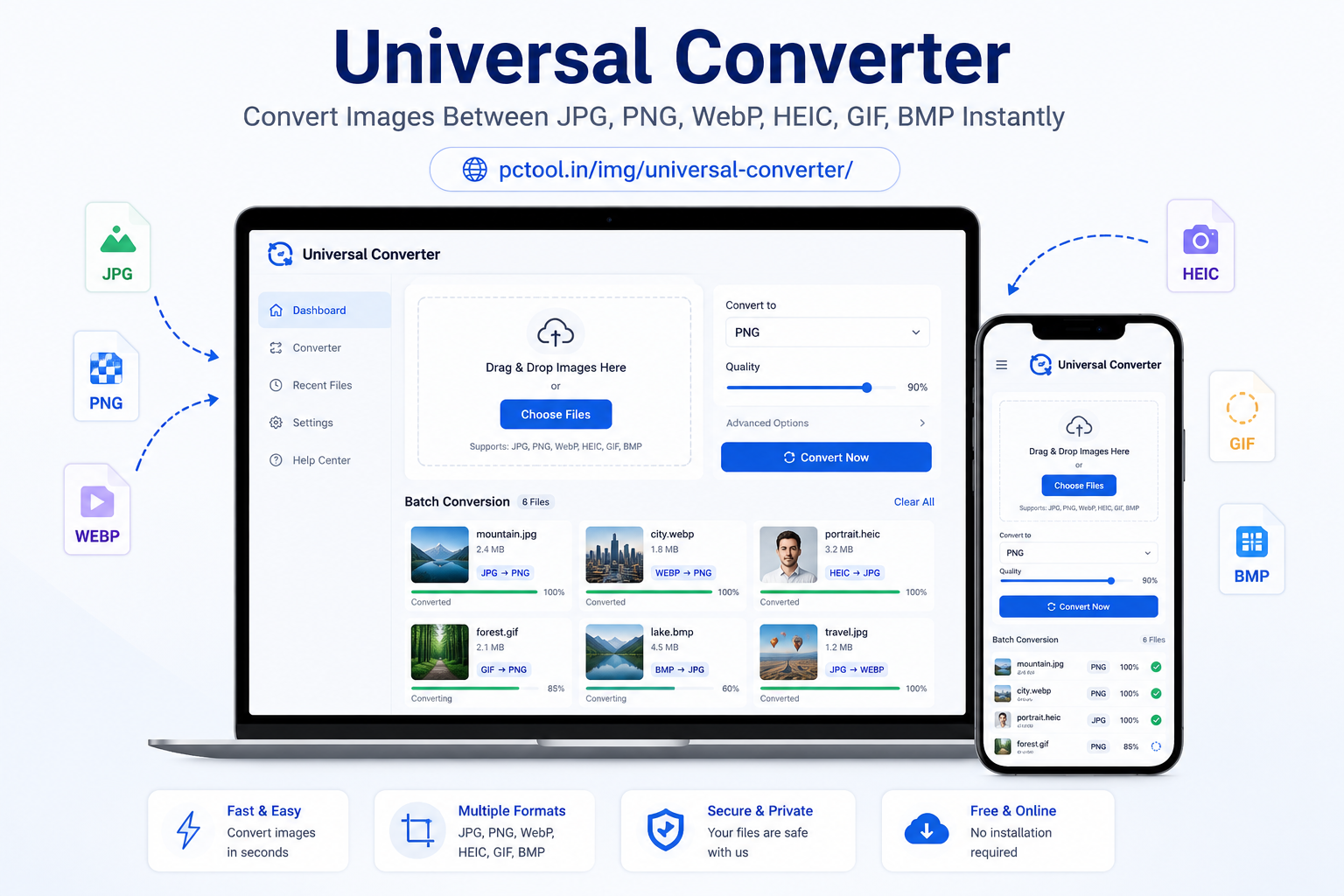
📌 What is Universal Image Converter?
A Universal Image Converter is an online tool that allows you to convert images from one format to another quickly and easily without installing any software. Different image formats such as JPG, PNG, WebP, HEIC, BMP, GIF, and TIFF are used for different purposes, and not all devices or platforms support every format.
For example, Apple iPhones often capture photos in HEIC format, which may not open properly on Windows computers or older Android devices. Similarly, PNG images are high-quality but large in size, while WebP is a modern format designed for faster website loading and better compression. JPG is the most widely supported format for sharing and uploading images across all platforms.
Our Universal Image Converter helps solve all these compatibility issues in seconds. You can convert HEIC to JPG, PNG to WebP, JPG to PNG, or any other supported format instantly. It is especially useful for students, professionals, designers, web developers, and photographers who need optimized images for different use cases such as websites, social media, document uploads, or storage optimization.
All conversions happen directly in your browser, ensuring fast processing and complete privacy without uploading files to any server.
❓ How to Use This Tool
Using the Universal Image Converter is extremely simple and user-friendly, designed for both beginners and advanced users.
Step 1: Upload Images
Start by uploading one or multiple images from your device. Our tool supports drag-and-drop functionality as well as manual selection. You can upload JPG, PNG, WebP, HEIC, GIF, BMP, and other supported formats. Batch upload is available, allowing you to convert multiple files at once.
Step 2: Select Output Format
Choose your desired output format from the available options such as JPG, PNG, WebP, or others. Each format serves a different purpose — for example, JPG is ideal for photos and sharing, PNG is best for transparency, and WebP is optimized for web performance.
Step 3: Adjust Quality Settings (Optional)
You can fine-tune output quality depending on your needs. For JPG and WebP formats, you can adjust compression levels to reduce file size while maintaining visual quality.
Step 4: Batch Conversion Processing
If you upload multiple images, our system automatically processes them in batch mode.
Step 5: Download Results
Download individually or as ZIP. Everything runs in-browser with full privacy.
✓ Features & Benefits
- Convert between 15+ image formats instantly
- Supports JPG, PNG, WebP, HEIC, BMP, GIF, TIFF and more
- Batch conversion support
- Download as ZIP or individual files
- 100% browser-based (no upload required)
❔ Frequently Asked Questions
What image formats are supported?
We support JPG, PNG, WebP, HEIC, GIF, BMP, TIFF and more.
Can I convert HEIC to JPG?
Yes, HEIC images from iPhone can be converted to JPG or PNG instantly.
📌 युनिव्हर्सल इमेज कन्व्हर्टर काय आहे?
युनिव्हर्सल इमेज कन्व्हर्टर हे एक ऑनलाइन साधन आहे जे तुम्हाला कोणतेही सॉफ्टवेअर इंस्टॉल न करता एका इमेज फॉरमॅटमधून दुसऱ्या फॉरमॅटमध्ये सहज आणि जलद रूपांतर करण्याची सुविधा देते. JPG, PNG, WebP, HEIC, GIF, BMP आणि TIFF सारखे विविध फॉरमॅट वेगवेगळ्या उद्देशांसाठी वापरले जातात.
iPhone मध्ये फोटो HEIC फॉरमॅटमध्ये सेव्ह होतात जे Windows किंवा Android वर कधी कधी उघडत नाहीत. PNG उच्च गुणवत्ता देते पण साइज मोठा असतो, तर WebP वेबसाइटसाठी हलका आणि वेगवान फॉरमॅट आहे.
❓ हे साधन कसे वापरावे
पायरी १: इमेज अपलोड करा
एक किंवा अनेक इमेजेस अपलोड करा.
पायरी २: फॉरमॅट निवडा
JPG, PNG किंवा WebP निवडा.
पायरी ३: गुणवत्ता सेट करा
फाईल साइज कमी करण्यासाठी कॉम्प्रेशन निवडा.
पायरी ४: डाउनलोड करा
ZIP किंवा स्वतंत्र फाईल म्हणून डाउनलोड करा.
✓ वैशिष्ट्ये आणि फायदे
- १५+ फॉरमॅट सपोर्ट
- बॅच कन्व्हर्जन
- ZIP डाउनलोड
- ब्राउझरमध्येच प्रक्रिया
❔ वारंवार विचारले जाणारे प्रश्न
कोणते फॉरमॅट सपोर्ट आहेत?
JPG, PNG, WebP, HEIC, GIF, BMP, TIFF इ.
HEIC ते JPG करता येते का?
होय, सहज करता येते.