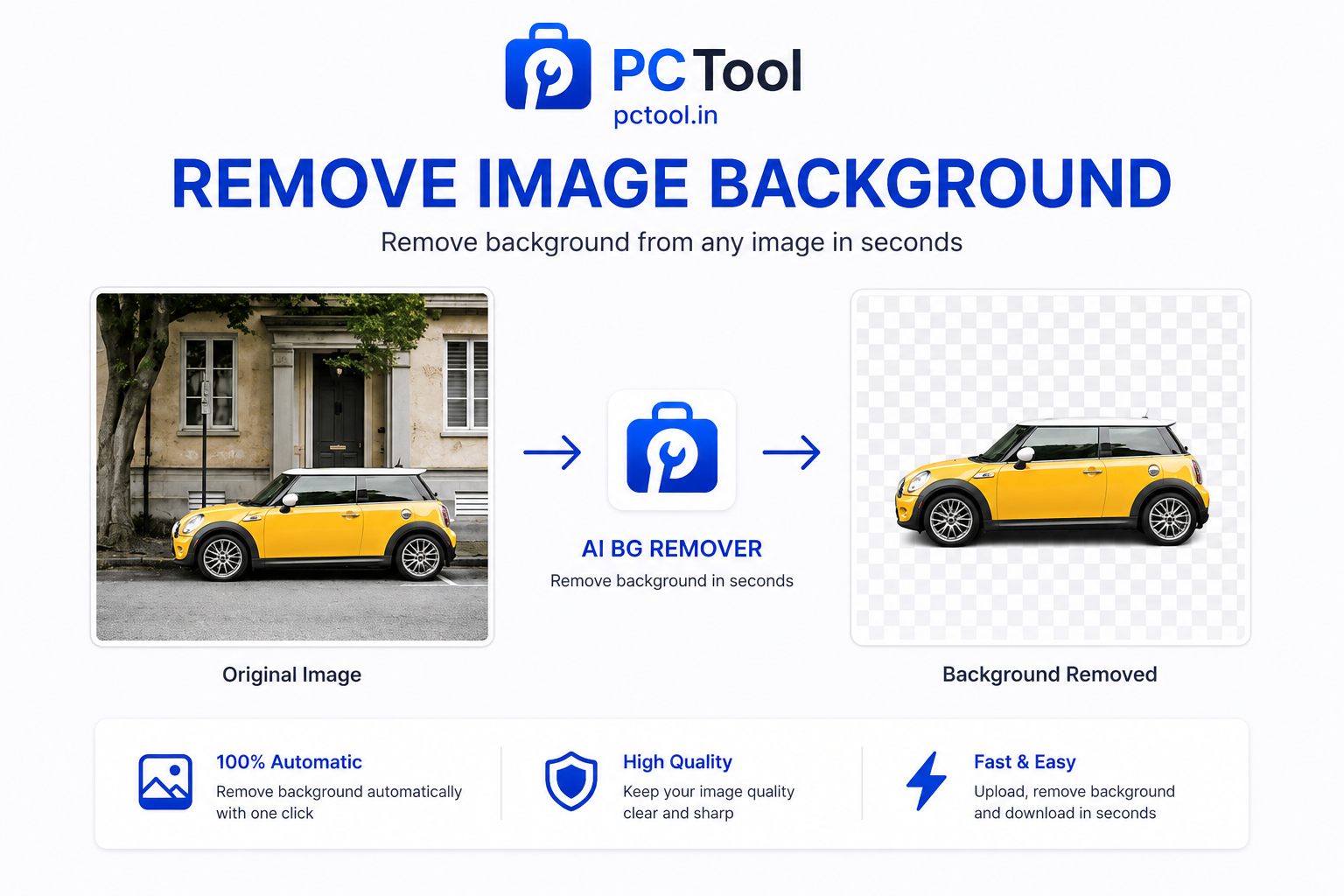
📌 What is Background Remover - Remove Image Background Online Free?
Background removal is the process of separating the main subject of a photograph from its background, leaving the subject isolated on a transparent canvas. This is one of the most frequently needed image editing tasks across countless professions and everyday situations — yet it traditionally required expensive software like Adobe Photoshop and hours of manual masking work.
Our AI-powered Background Remover changes that completely. Using advanced deep learning models trained on millions of images, the tool automatically detects the edges of people, products, animals, objects, and text in your photo and removes the background in just 2 to 5 seconds. No manual tracing, no green screen, no design skills required.
Background removal has dozens of practical uses in daily life. E-commerce sellers need clean product photos on white backgrounds for Amazon, Flipkart, and Meesho listings. Students and job seekers need professional headshots with white or blue backgrounds for resumes, LinkedIn profiles, and government application forms. Photographers need to replace distracting backgrounds with solid colors or gradients. Content creators need transparent PNGs for YouTube thumbnails, Instagram graphics, and presentation slides. Businesses need cutout logos and product images for marketing materials.
Our tool goes beyond just removing the background. After the AI processes your image, you can instantly apply any background color — white for professional documents, blue for passport-style photos, black for dramatic product shots, or any custom hex color you choose. The final image downloads as a high-quality PNG with either a transparent background or your chosen color applied cleanly behind the subject.
❓ How to Use This Tool
Removing a background takes just a few clicks with our tool. Here is the complete step-by-step process.
Step 1: Upload Your Image
Click the upload zone or drag and drop your photo directly onto the page. The tool accepts JPG, PNG, and WebP images up to 10 MB in size. You can use photos taken on a smartphone, DSLR, or downloaded from the web. For best results, use an image where the subject is clearly visible and reasonably distinct from the background — though our AI handles complex backgrounds like busy streets, textured walls, and cluttered rooms very well.
Step 2: Select a Background Color (Optional)
Before or after processing, choose your preferred output background. The default option is transparent, which gives you a PNG file with no background at all — perfect for layering in design tools, presentations, or websites. Alternatively, choose white for professional documents and ID photos, black for product photography, or one of the preset colors. For a specific brand color or government-required shade, click the custom color button and enter your exact hex code or use the color picker.
Step 3: Remove the Background
Click the "Remove Background" button. Your image is securely sent to our AI server, which processes it using a deep learning segmentation model. The result typically returns within 2 to 5 seconds. If the primary server is under load, a backup server handles your request within 15 to 30 seconds. A processing indicator keeps you informed throughout.
Step 4: Preview the Result
Once processing is complete, a side-by-side preview shows your original image alongside the result. You can see exactly how cleanly the background was removed and whether the edges around hair, fur, or complex shapes were handled correctly. If you want a different background color at this stage, simply click another color option and the result updates instantly without reprocessing.
Step 5: Rename and Download
Optionally rename your output file, then click Download to save the result as a PNG to your device. The file retains full resolution — no watermarks, no compression, no quality loss. Your image is deleted from our server immediately after processing and is never stored or shared.
✓ Features & Benefits
- AI-powered automatic background removal in 2–5 seconds
- Supports JPG, PNG, and WebP images up to 10 MB
- Download as transparent PNG — no watermarks
- Apply custom background color with hex code or color picker
- Preset background colors: white, black, red, blue, green
- Full resolution output with no quality loss
- Images deleted from server immediately after processing
- Works on mobile, tablet, and desktop browsers
- No registration or login required — completely free
💡 Tips for Best Results
For the cleanest background removal, use photos where the subject is well-lit and clearly separated from the background. Avoid images where the subject and background share very similar colors, as this can cause edge artifacts. If you are processing a product photo for e-commerce, place the item on a plain surface before shooting — the AI will remove it even more precisely.
For passport or ID photos, select the white or blue background color after removal and ensure the face is centered and clearly visible before downloading. For transparent PNGs used in design work, zoom into the edges after downloading to check for any fringe pixels — our AI handles most cases cleanly, but very fine hair or fur may occasionally need minor touch-up in a design tool.
❔ Frequently Asked Questions
How does the AI background remover work?
Our tool uses a deep learning image segmentation model that has been trained on millions of images. It identifies the foreground subject — whether a person, product, animal, or object — and separates it from the background with pixel-level precision. The result is a clean cutout that you can download as a transparent PNG or with any background color applied.
Is my image stored on your server?
No. Your image is sent to our AI server solely for processing and is deleted immediately after the result is returned to you. We never store, view, or share your images. The entire process is designed for complete privacy.
Can I use this for passport or ID photos?
Yes. Upload your photo, remove the background, then select white or light blue as the replacement background color. The result will be a clean ID-style photo ready for government forms, job applications, or document submissions. Always verify the exact background color required by the issuing authority before submitting.
What types of images work best?
The AI performs best on photos with a clear subject — portraits, product shots, animals, and objects with distinct edges. It handles complex backgrounds like outdoor scenes and busy environments well. Very low-contrast images where the subject and background are nearly the same color may produce less precise results.
Can I add a custom background color?
Yes. After background removal, click the custom color button in the background selector, enter any hex color code, or use the color picker to choose visually. The background is applied instantly and you can switch colors multiple times before downloading.
What format is the output file?
The output is always a high-quality PNG file. PNG is the only format that supports transparency, making it the standard choice for cutout images used in design, print, and web work.
📌 बॅकग्राउंड रिमूव्हर - ऑनलाइन इमेज बॅकग्राउंड काढा काय आहे?
बॅकग्राउंड रिमूव्हल म्हणजे फोटोमधील मुख्य विषय त्याच्या पार्श्वभूमीपासून वेगळे करणे. पूर्वी हे काम Adobe Photoshop सारख्या महागड्या सॉफ्टवेअरमध्ये तासनतास करावे लागायचे. आमचे AI टूल हे काम फक्त २ ते ५ सेकंदात करते.
आमचे टूल डीप लर्निंग तंत्रज्ञान वापरते जे फोटोतील व्यक्ती, प्रोडक्ट, प्राणी किंवा वस्तू ओळखते आणि पार्श्वभूमी आपोआप काढते. कोणत्याही डिझाइन कौशल्याची गरज नाही.
ई-कॉमर्स विक्रेत्यांना Amazon आणि Flipkart साठी पांढऱ्या बॅकग्राउंडवरील प्रोडक्ट फोटो हवे असतात. नोकरी अर्जदारांना रेझ्युमे आणि सरकारी फॉर्मसाठी पांढऱ्या बॅकग्राउंडचे फोटो लागतात. कंटेंट क्रिएटर्सना YouTube थंबनेल आणि Instagram ग्राफिक्ससाठी transparent PNG हवे असतात.
बॅकग्राउंड काढल्यानंतर तुम्ही कोणताही रंग लावू शकता — पांढरा, निळा, काळा किंवा तुमच्या आवडीचा कस्टम रंग.
❓ हे साधन कसे वापरावे
पायरी १: इमेज अपलोड करा
अपलोड झोनवर क्लिक करा किंवा फोटो ड्रॅग-ड्रॉप करा. JPG, PNG, WebP फॉरमॅट सपोर्ट आहे, जास्तीत जास्त १० MB.
पायरी २: बॅकग्राउंड रंग निवडा (ऐच्छिक)
Transparent (पारदर्शक), पांढरा, काळा, लाल, निळा किंवा कस्टम हेक्स रंग निवडा.
पायरी ३: बॅकग्राउंड काढा
"Remove Background" बटण दाबा. AI २ ते ५ सेकंदात निकाल देते.
पायरी ४: परिणाम पहा
आधी आणि नंतरचा फोटो side-by-side दिसेल. वेगळा रंग हवा असल्यास बदलता येतो.
पायरी ५: डाउनलोड करा
फाईलचे नाव बदलून Download करा. PNG फॉरमॅटमध्ये उच्च गुणवत्तेत मिळेल. इमेज सर्व्हरवरून लगेच डिलीट होते.
✓ वैशिष्ट्ये आणि फायदे
- AI वापरून २-५ सेकंदात बॅकग्राउंड काढणे
- JPG, PNG, WebP सपोर्ट (१० MB पर्यंत)
- Transparent PNG डाउनलोड — वॉटरमार्क नाही
- कस्टम बॅकग्राउंड रंग — hex code किंवा color picker
- पांढरा, काळा, लाल, निळा, हिरवा प्रीसेट रंग
- पूर्ण रिझोल्यूशन आउटपुट
- प्रक्रियेनंतर इमेज लगेच डिलीट
- मोबाइल आणि डेस्कटॉपवर काम करते
💡 सर्वोत्तम परिणामांसाठी टिपा
सर्वोत्तम निकालासाठी स्पष्ट प्रकाशात काढलेला फोटो वापरा जिथे विषय पार्श्वभूमीपासून स्पष्टपणे वेगळा दिसतो. पासपोर्ट फोटोसाठी बॅकग्राउंड काढल्यानंतर पांढरा किंवा निळा रंग निवडा आणि अर्ज सादर करण्यापूर्वी आवश्यक रंग तपासा.
❔ वारंवार विचारले जाणारे प्रश्न
AI बॅकग्राउंड रिमूव्हर कसे काम करते?
आमचे टूल डीप लर्निंग इमेज सेगमेंटेशन मॉडेल वापरते जे फोटोतील विषय ओळखते आणि पार्श्वभूमी pixel-level अचूकतेने काढते.
माझा फोटो सर्व्हरवर साठवला जातो का?
नाही. फोटो फक्त प्रक्रियेसाठी पाठवला जातो आणि निकाल मिळाल्यावर लगेच डिलीट होतो. आम्ही कधीही फोटो साठवत नाही.
पासपोर्ट किंवा ID फोटोसाठी वापरता येते का?
होय. फोटो अपलोड करा, बॅकग्राउंड काढा, नंतर पांढरा किंवा हलका निळा रंग निवडा. सरकारी अर्जासाठी आवश्यक रंग आधी तपासा.
आउटपुट फाईल कोणत्या फॉरमॅटमध्ये मिळते?
नेहमी उच्च गुणवत्तेचे PNG मिळते कारण PNG हा एकमेव फॉरमॅट आहे जो transparency सपोर्ट करतो.