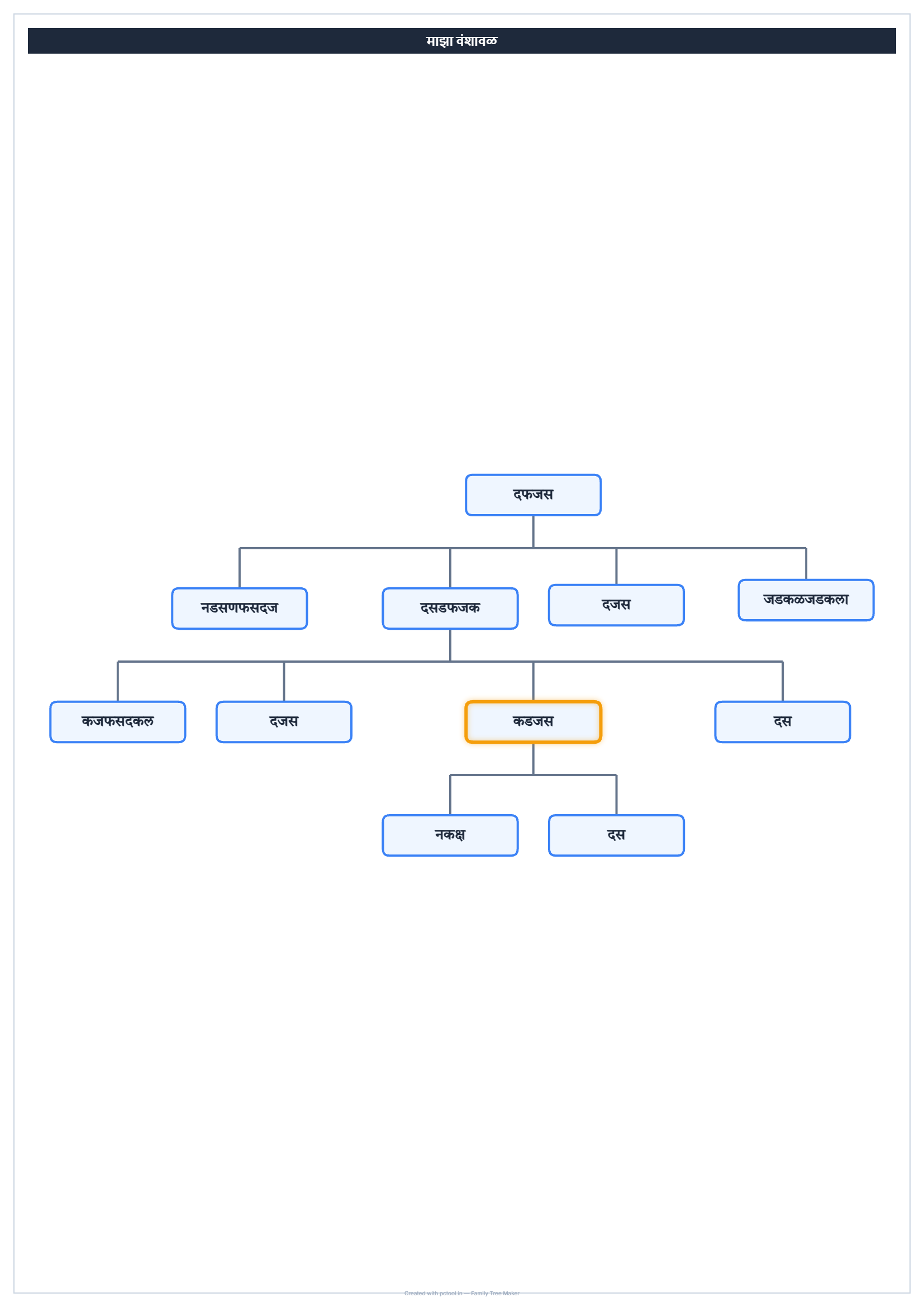
📌 What is Family Tree Maker Online - Build Genealogy Charts in Marathi & English?
A Family Tree (वंशावळ) is a visual representation of family relationships across multiple generations, showing how individuals are connected through blood, marriage, and lineage. In India, family trees serve more than just genealogical curiosity — they are formally required for caste certificate scrutiny applications, succession certificates, property inheritance disputes, court submissions in family matters, and detailed family record-keeping for traditional and religious ceremonies.
Our Family Tree Maker is a powerful canvas-based tool that lets you build comprehensive multi-generational family trees with automatic layout. Start by adding the oldest known ancestor as the root, then add spouses, children, and descendants. The tool supports multiple spouses for any individual — important for accurate representation of remarriages, multiple unions, and complex family structures common in Indian families. Color coding distinguishes male (blue) and female (pink) members at a glance, and any individual can be highlighted with a custom color for special significance — for example marking the applicant in a caste scrutiny case, or highlighting deceased members.
The canvas supports drag-to-reposition for fine-tuning the layout, scroll-to-zoom for navigating large trees, and click-and-drag panning. The undo and redo system tracks up to 40 changes so you can experiment freely without fear of losing work. Both Marathi and English are supported with one-click language toggle, and the official Tiro Devanagari Marathi font ensures proper rendering of Devanagari names.
When your tree is complete, export as a print-ready A4 image suitable for caste certificate applications, or copy directly to clipboard for pasting into other documents. The output is high-resolution and looks professional in both digital submissions and printed paperwork.
This is a premium tool (5 coins per export or copy) because of the canvas-based architecture, multi-generational layout algorithms, undo/redo state management, and high-resolution export. All processing runs entirely in your browser — your family information never leaves your device.
❓ How to Use This Tool
Building a comprehensive family tree takes about 5 to 15 minutes depending on the size. Here is the complete process.
Step 1: Choose Language
Click Marathi or English at the top of the side panel. Marathi uses the Tiro Devanagari Marathi font for proper Devanagari rendering. English uses standard fonts. The choice affects all labels, buttons, and the displayed names.
Step 2: Add the Root Ancestor
Type the name of the oldest known ancestor — typically a great-grandfather or earlier. Select male or female gender and click Add Root Ancestor. The first node appears at the top of the canvas. This person serves as the foundation of your tree.
Step 3: Add Spouse to Any Person
Click any person on the canvas to select them. The Add Spouse button becomes active. Type the spouse name, select gender, and click Add Spouse. The spouse appears next to the selected person, connected by a marriage line. You can add multiple spouses to the same person — useful for remarriages.
Step 4: Add Children
Once a couple is created (one or two spouses connected), select either parent and click Add Child. If the person has multiple spouses, a dropdown appears asking which union the child belongs to — this is critical for accurate family tree representation. Type the child name, select gender, and add. Children appear below the parents connected by descent lines.
Step 5: Continue Adding Generations
Repeat steps 3 and 4 to add spouses for the children, their children (grandchildren), and so on. The tool auto-arranges the tree using a hierarchical layout algorithm so generations align horizontally and family branches do not overlap.
Step 6: Drag to Reposition
If the auto-layout is not exactly what you want — common with very wide or unusual trees — you can drag any node to reposition it manually. The connecting lines update automatically to maintain relationships.
Step 7: Highlight Specific Members
Select any person and click the highlight color picker. Choose any color and click Highlight. The person box gets a coloured outline. Useful for marking the applicant in caste scrutiny cases, marking deceased members in a different color, or distinguishing maternal from paternal lineage.
Step 8: Edit or Delete
Select any person and use the Edit Selected section to update their name or gender. The Delete button removes the person — this also removes their descendants if they have any. Use Undo (up to 40 steps) to recover from accidental deletions.
Step 9: Zoom, Pan, and Fit
Use scroll wheel to zoom in and out. Click empty canvas areas and drag to pan around the tree. Click Fit to Screen to center the entire tree at maximum visible zoom. The current zoom percentage is shown in the bottom-right corner.
Step 10: Export or Copy
Click the A4 button to download a print-ready high-resolution PNG sized for A4 paper. Click Copy to copy the tree image directly to clipboard for pasting into emails, Word documents, or other applications. Both options use 5 coins per use.
✓ Features & Benefits
- Build multi-generational family trees with automatic hierarchical layout
- Multiple spouses per person — supports remarriages and complex unions
- Drag-to-reposition for manual layout fine-tuning
- Custom color highlighting for any family member
- Male (blue) and female (pink) gender color coding
- Undo and redo with 40-step history — experiment freely
- Marathi and English language toggle with proper Devanagari font
- Scroll-to-zoom and click-drag panning for large trees
- Fit to Screen button to center the entire tree
- Export as print-ready A4 PNG image
- Copy directly to clipboard for instant pasting
- 100% browser-based — family data never leaves your device
💡 Tips for Best Results
For caste scrutiny applications, start the family tree from the oldest known male ancestor in the paternal line. Caste certificates trace through male lineage in most Indian communities, so the paternal line is the focus of scrutiny. Female members should be included but the descent line is followed through fathers and grandfathers.
Highlight the applicant in a distinct color (typically green or yellow) so the caste scrutiny committee can immediately identify the person whose claim is being verified. This significantly speeds up review and reduces errors.
For complex families with multiple marriages, add all spouses and use the union dropdown carefully when adding children. Misattributing a child to the wrong union can cause major issues in legal proceedings, especially in succession and inheritance cases.
Use the highlight feature to mark deceased members in a different color (typically grey or black). This is useful for genealogy records, ancestral documents, and traditional family records used in religious ceremonies.
For wide trees with many descendants in one generation, the auto-layout may stretch the canvas horizontally. Use the drag feature to compress the layout where possible, or split the tree into branches and create separate exports for each major lineage.
For Hindi or Marathi names with conjuncts (joined letters like क्ष, ज्ञ, त्र), make sure the font has fully loaded before exporting. Refresh the page once if Devanagari characters appear broken in the canvas.
Save your work frequently by using the Copy button — paste the tree image into a document for backup. The current tool does not save tree state between sessions, so keep periodic backups while building large trees.
For court submissions and legal proceedings, include both the family tree image and a written narrative document describing the relationships in plain language. The combination is more legally robust than the tree alone.
❔ Frequently Asked Questions
How do I build a family tree?
Add the oldest ancestor as the root, then click on any person to select them and add their spouse and children. Continue adding generations until your tree is complete. The tool auto-arranges nodes hierarchically and you can drag to fine-tune positions.
Can a person have multiple spouses in the tree?
Yes. Select the person and click Add Spouse multiple times to add each spouse. When adding children, a dropdown appears asking which spouse the child belongs to — this ensures accurate representation of remarriages and complex family structures.
Can I highlight specific members?
Yes. Select any person and use the highlight color picker — any custom color works. This is especially useful for marking the applicant in caste scrutiny applications, distinguishing deceased members, or highlighting specific lineages in inheritance cases.
What languages are supported?
Marathi and English with one-click toggle. Marathi uses the official Tiro Devanagari Marathi font for proper rendering of Devanagari characters. The font supports all standard Marathi conjuncts and special characters used in traditional Indian names.
Can I undo my changes?
Yes. The undo system tracks up to 40 recent changes. Click the undo button to step back, or redo to step forward. This lets you experiment with the tree freely without fear of losing work.
How do I export or copy the tree?
Click the A4 button to download a print-ready high-resolution PNG image sized for A4 paper. Click Copy to copy directly to clipboard for pasting into emails, Word documents, or any application. Both options use 5 coins per use.
Is my family information private?
Yes. The entire tool runs in your browser — names, relationships, and any other information you enter never leave your device. No family data is uploaded to any server, making the tool completely safe for sensitive genealogical and legal information.
Why does this tool cost 5 coins?
The premium pricing covers the canvas-based rendering, multi-generational layout algorithms, undo/redo state management, high-resolution A4 export, and the 40-step history system. The first export or copy uses 5 coins — you can build the tree freely without any cost.
📌 वंशावळ Maker ऑनलाइन - Family Tree मराठी आणि English मध्ये बनवा काय आहे?
वंशावळ (Family Tree) म्हणजे अनेक पिढ्यांमधील कौटुंबिक नातेसंबंधांचे visual representation — रक्त, विवाह, आणि वंश परंपरेद्वारे व्यक्ती कशा जोडलेल्या आहेत हे दर्शवते. भारतात family trees हे केवळ genealogical curiosity पुरते मर्यादित नसून — caste certificate scrutiny अर्ज, वारस प्रमाणपत्रे, मालमत्ता वारसा वाद, कौटुंबिक प्रकरणांतील न्यायालयीन submissions, आणि पारंपरिक-धार्मिक समारंभांसाठी detailed कौटुंबिक records ठेवण्यासाठी formally आवश्यक असतात.
आमचे Family Tree Maker एक powerful canvas-based टूल आहे जे automatic layout सह comprehensive multi-generational family trees बनवू देते. सर्वात जुन्या ज्ञात पूर्वजाला root म्हणून सुरुवात करा, नंतर जोडीदार, मुले, आणि वंशज जोडा. टूल कोणत्याही व्यक्तीसाठी multiple spouses support करते — पुनर्विवाह, multiple unions, आणि भारतीय कुटुंबांमध्ये common असलेल्या complex family structures च्या accurate representation साठी महत्त्वाचे. Color coding पुरुष (निळा) आणि स्त्री (गुलाबी) सदस्यांना एका दृष्टीक्षेपात वेगळे करते, आणि कोणत्याही व्यक्तीला विशेष महत्त्वासाठी custom color ने highlight करता येते — उदा. caste scrutiny case मध्ये अर्जदार चिन्हांकित करणे, किंवा मयत सदस्यांना highlight करणे.
Canvas drag-to-reposition (layout fine-tuning), scroll-to-zoom (मोठ्या trees साठी), आणि click-drag panning support करते. Undo आणि redo system ४० changes track करते — कामाची चिंता न करता मोकळेपणाने experiment करता येते. मराठी आणि English दोन्ही एका क्लिकमध्ये toggle, आणि official Tiro Devanagari Marathi font Devanagari नावांचे proper rendering सुनिश्चित करते.
Tree पूर्ण झाल्यावर caste certificate अर्जांसाठी print-ready A4 image म्हणून export करा, किंवा clipboard वर directly copy करून इतर documents मध्ये paste करा. Output high-resolution आणि digital submissions तसेच printed paperwork दोन्हीत professional दिसते.
हे premium टूल आहे (प्रत्येक export किंवा copy साठी 5 coins) — canvas-based architecture, multi-generational layout algorithms, undo/redo state management, आणि high-resolution export मुळे. सर्व प्रक्रिया ब्राउझरमध्येच होते — कौटुंबिक माहिती कधीही device सोडत नाही.
❓ हे साधन कसे वापरावे
पायरी १: भाषा निवडा
Side panel च्या वरच्या भागात मराठी किंवा English क्लिक करा. मराठी Tiro Devanagari Marathi font वापरते — Devanagari rendering साठी. English standard fonts वापरते. ही निवड सर्व labels, buttons, आणि displayed नावांवर परिणाम करते.
पायरी २: मूळ पूर्वज जोडा
सर्वात जुन्या ज्ञात पूर्वजाचे नाव टाका — सहसा पणजोबा किंवा त्यांचे आजोबा. पुरुष किंवा स्त्री gender निवडा आणि Add Root Ancestor क्लिक करा. पहिले node canvas च्या वर appear होते. ही व्यक्ती तुमच्या tree चा पाया आहे.
पायरी ३: कोणत्याही व्यक्तीला जोडीदार जोडा
Canvas वरील कोणत्याही व्यक्तीला select करण्यासाठी click करा. Add Spouse button active होते. जोडीदाराचे नाव टाका, gender निवडा, आणि Add Spouse क्लिक करा. जोडीदार select केलेल्या व्यक्तीच्या शेजारी marriage line ने जोडलेला appear होतो. एकाच व्यक्तीला multiple spouses जोडता येतात — पुनर्विवाहांसाठी उपयुक्त.
पायरी ४: मुले जोडा
Couple तयार झाल्यावर (एक किंवा दोन spouses connected), कोणत्याही parent ला select करा आणि Add Child क्लिक करा. व्यक्तीला multiple spouses असल्यास dropdown येते — मूल कोणत्या union चे आहे हे विचारते — accurate family tree representation साठी critical. मुलाचे नाव टाका, gender निवडा, आणि add करा. मुले descent lines ने जोडलेली parents च्या खाली appear होतात.
पायरी ५: पुढच्या पिढ्या जोडत रहा
मुलांना जोडीदार, त्यांची मुले (नातवंडे), असे continue करा. टूल hierarchical layout algorithm वापरून tree auto-arrange करते — पिढ्या horizontally align राहतात आणि family branches overlap होत नाहीत.
पायरी ६: Drag करून Reposition करा
Auto-layout exactly हवे तसे नसल्यास — खूप wide किंवा unusual trees मध्ये common — कोणतेही node manually drag करून reposition करता येते. Connecting lines automatically update होतात.
पायरी ७: विशिष्ट सदस्य Highlight करा
कोणत्याही व्यक्तीला select करा आणि highlight color picker वापरा. कोणताही color निवडा आणि Highlight क्लिक करा. व्यक्ती box ला coloured outline मिळते. Caste scrutiny cases मध्ये अर्जदार चिन्हांकित करणे, मयत सदस्य वेगळ्या रंगात दाखवणे, किंवा maternal आणि paternal lineage वेगळे करणे — यासाठी उपयुक्त.
पायरी ८: Edit किंवा Delete करा
कोणत्याही व्यक्तीला select करा आणि Edit Selected section वापरून त्यांचे नाव किंवा gender update करा. Delete button व्यक्ती काढून टाकते — त्यांचे descendants असल्यास तेही काढले जातात. चुकून झालेल्या deletions साठी Undo (४० steps पर्यंत) वापरा.
पायरी ९: Zoom, Pan, आणि Fit
Zoom साठी scroll wheel वापरा. Tree फिरवण्यासाठी empty canvas areas वर click करून drag करा. Fit to Screen क्लिक करून संपूर्ण tree maximum visible zoom वर center करा. Current zoom percentage खालच्या उजव्या कोपऱ्यात दिसते.
पायरी १०: Export किंवा Copy करा
A4 button क्लिक करून A4 paper साठी print-ready high-resolution PNG download करा. Copy क्लिक करून tree image थेट clipboard वर copy करा — emails, Word documents, किंवा इतर applications मध्ये paste करण्यासाठी. दोन्ही options प्रत्येक वापरासाठी 5 coins वापरतात.
✓ वैशिष्ट्ये आणि फायदे
- Automatic hierarchical layout सह multi-generational family trees
- प्रत्येक व्यक्तीला multiple spouses — पुनर्विवाह आणि complex unions
- Manual layout fine-tuning साठी drag-to-reposition
- कोणत्याही family member साठी custom color highlighting
- पुरुष (निळा) आणि स्त्री (गुलाबी) gender color coding
- ४०-step history सह Undo आणि redo — मोकळेपणाने experiment
- Proper Devanagari font सह मराठी आणि English language toggle
- मोठ्या trees साठी scroll-to-zoom आणि click-drag panning
- संपूर्ण tree center करण्यासाठी Fit to Screen button
- Print-ready A4 PNG image म्हणून export
- Instant pasting साठी directly clipboard वर copy
- १००% ब्राउझर-आधारित — family data सर्व्हरवर जात नाही
💡 सर्वोत्तम परिणामांसाठी टिपा
Caste scrutiny अर्जांसाठी paternal line मधील सर्वात जुन्या ज्ञात पुरुष पूर्वजापासून family tree सुरू करा. बहुतेक भारतीय समाजांमध्ये जात प्रमाणपत्रे male lineage मधून trace होतात — paternal line scrutiny चे focus असते. महिला सदस्यांचा समावेश असावा पण descent line वडील आणि आजोबांमधून follow होते.
Caste scrutiny committee ला अर्जदार लगेच ओळखता यावा यासाठी अर्जदाराला distinct color मध्ये (सहसा हिरवा किंवा पिवळा) highlight करा. हे review जलद करते आणि errors कमी करते.
Multiple marriages असलेल्या complex families साठी सर्व spouses जोडा आणि मुले जोडताना union dropdown काळजीपूर्वक वापरा. मूल चुकीच्या union ला attribute केल्यास कायदेशीर proceedings मध्ये — विशेषतः succession आणि वारसा cases मध्ये — मोठ्या समस्या होऊ शकतात.
मयत सदस्यांना वेगळ्या रंगात (सहसा करडा किंवा काळा) highlight करण्यासाठी highlight feature वापरा. Genealogy records, ancestral documents, आणि धार्मिक समारंभांसाठी traditional family records — यासाठी उपयुक्त.
एका पिढीत अनेक descendants असलेल्या wide trees साठी auto-layout canvas horizontally stretch करू शकते. शक्य तिथे layout compress करण्यासाठी drag feature वापरा, किंवा tree branches मध्ये split करून प्रत्येक major lineage साठी separate exports तयार करा.
संयुक्त अक्षरे (क्ष, ज्ञ, त्र सारखे joined letters) असलेल्या मराठी नावांसाठी export करण्यापूर्वी font fully load झाला आहे याची खात्री करा. Canvas मध्ये Devanagari characters तुटलेले दिसल्यास page एकदा refresh करा.
Copy button वापरून तुमचे काम वारंवार save करा — backup साठी tree image document मध्ये paste करा. सध्याचे टूल sessions दरम्यान tree state save करत नाही, त्यामुळे मोठी trees बनवताना periodic backups ठेवा.
न्यायालयीन submissions आणि कायदेशीर proceedings साठी family tree image तसेच साध्या भाषेत नातेसंबंधांचे वर्णन करणारा written narrative document दोन्ही समाविष्ट करा. हे संयोजन एकट्या tree पेक्षा अधिक कायदेशीरदृष्ट्या मजबूत आहे.
❔ वारंवार विचारले जाणारे प्रश्न
Family tree कसे बनवायचे?
सर्वात जुन्या पूर्वजाला root म्हणून जोडा, नंतर कोणत्याही व्यक्तीला select करून त्यांचे जोडीदार आणि मुले जोडा. Tree पूर्ण होईपर्यंत पिढ्या जोडत रहा. टूल nodes hierarchically auto-arrange करते आणि fine-tune करण्यासाठी drag करता येते.
एका व्यक्तीला tree मध्ये multiple spouses जोडता येतात का?
होय. व्यक्ती select करा आणि प्रत्येक जोडीदार जोडण्यासाठी Add Spouse multiple वेळा क्लिक करा. मुले जोडताना dropdown येते — मूल कोणत्या जोडीदाराचे आहे हे विचारते — पुनर्विवाह आणि complex family structures च्या accurate representation साठी.
विशिष्ट सदस्य highlight करता येतात का?
होय. कोणत्याही व्यक्तीला select करा आणि highlight color picker वापरा — कोणताही custom color चालतो. Caste scrutiny अर्जांमध्ये अर्जदार चिन्हांकित करणे, मयत सदस्य वेगळे करणे, किंवा वारसा cases मध्ये specific lineages highlight करणे — यासाठी विशेषतः उपयुक्त.
कोणत्या भाषा support आहेत?
मराठी आणि English एका क्लिकमध्ये toggle. मराठी Devanagari characters च्या proper rendering साठी official Tiro Devanagari Marathi font वापरते. Font सर्व standard मराठी conjuncts आणि traditional भारतीय नावांमध्ये वापरले जाणारे special characters support करते.
मी changes undo करू शकतो का?
होय. Undo system अलीकडील ४० changes track करते. एक step मागे जाण्यासाठी undo button क्लिक करा, किंवा redo क्लिक करून पुढे जा. कामाची चिंता न करता tree सोबत मोकळेपणाने experiment करता येते.
Tree कसे export किंवा copy करायचे?
A4 button क्लिक करून A4 paper साठी print-ready high-resolution PNG image download करा. Copy क्लिक करून emails, Word documents, किंवा कोणत्याही application मध्ये paste करण्यासाठी directly clipboard वर copy करा. दोन्ही options प्रत्येक वापरासाठी 5 coins वापरतात.
माझी family माहिती private आहे का?
होय. संपूर्ण टूल ब्राउझरमध्येच चालते — नावे, नातेसंबंध, आणि तुम्ही टाकलेली कोणतीही माहिती कधीही device सोडत नाही. कोणताही family data सर्व्हरवर upload होत नाही — संवेदनशील genealogical आणि कायदेशीर माहितीसाठी संपूर्ण safety.
या टूल साठी 5 coins का लागतात?
Premium pricing canvas-based rendering, multi-generational layout algorithms, undo/redo state management, high-resolution A4 export, आणि ४०-step history system यांना cover करते. पहिले export किंवा copy 5 coins वापरते — कोणत्याही कोस्टशिवाय tree मोकळेपणाने बनवता येते.